Timebox
- Demonstration: Date and Time
- Java API: org.zkoss.zul.Timebox
- JavaScript API: zul.db.Timebox
Employment/Purpose
An edit box for holding a time value. By default it works with a java.util.Date object (only the Hour and Minute parts are used).
since 9.0.0
ZK 9.0.0 added LocalTime, LocalDateTime, and ZonedDateTime support via valueInLocalTime, valueInLocalDateTime, and valueInZonedDateTime.
Common Use Cases
- Appointment scheduling — collect a start/end time from users in a booking or calendar form.
- Work-hour entry — let users enter clock-in / clock-out times for timesheets.
- Filter by time range — pair two timeboxes (“from” / “to”) with a
constraintto restrict accepted values to a valid range. - Locale-aware display — specify
format="short"orformat="medium"so the displayed time pattern adapts automatically to the user’s locale without hard-coding a format string.
Example
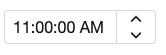
<timebox cols="11"/>
Integrate Moment.js
since 8.5.1 The JavaScript widgets including org.zkoss.zul.Datebox,org.zkoss.zul.Timebox,org.zkoss.zkmax.zul.Timepicker rely on moment.js and moment-timezone.js to handle time zone information more accurately.
To check the included moment.js version, enter zk.mm.version in the
browser developer console tab.
Accessibility
since 9.5.0
Keyboard Support
| Key | Description |
|---|---|
| ArrowUp / ArrowDown | Increase / decrease the value. |
| ArrowLeft / ArrowRight | Move the input cursor. |
Labeling with ARIA
To name a component with ARIA attribute by adding the aria-label
client attribute to the component, please refer to
ZK Developer’s Reference/Accessibility#Specify_ARIA_Attributes
Properties
ButtonVisible
Default Value: true
Controls whether the drop-down button on the right side of the input box is visible. Set to false to hide the button and present a plain text-input style.
<timebox buttonVisible="false"/>
Constraint
You could specify what value to accept for input controls by use of the
constraintproperty. It could be no empty.
If you prefer to display different message to the default one, you can append the error message to the constraint with a colon.
<timebox constraint="no empty: cannot be empty"/>
Notes:
- The error message, if specified, must be the last element and start with colon.
- To support multiple languages, you could use the 「l」 function as depicted in the Internationalization chapter.
<timebox constraint="no empty: ${c:l('err.time.required')}"/>
Format
Use a to signify it is am or pm. The input string follows the formatting of the SimpleDateFormat.
Below is an example of using a within the format.
<timebox cols="20" format="a hh:mm:ss"/>
24 hours mode:
<timebox cols="8" format="HH:mm:ss"/>
since 5.0.7 In addition to specifying the format explicitly, you could specify the styling. There are four different types of styling: short, medium, long and full (representing the styling of java.text.DateFormat). For example, you could specify the styling rather than the real format as follows.
<timebox format="short"/>
<timebox format="long"/>
Then the real format of the timebox will be decided at run time depending the configuration. For more information, please refer to ZK Developer’s Reference: Date and Time Formatting.
Locale
By default, the real format depends on the current locale (i.e., org.zkoss.util.Locales#getCurrent(). However, you could specify the locale for an individual instance such as:
<timebox format="medium" locale="de_DE"/>
<timebox format="long" locale="fr"/>
Text
You should set text attribute after format attribute or ZK might not
convert the specified text well.
<timebox format="hh:mm:ss a" locale="en" text="12:00:00 AM"/>
- If you set
formatlater than settingtextattribute, ZK might probably fail to convert the text to aDateobject according to default format and throworg.zkoss.zk.ui.WrongValueException.
Supported Events
- Inherited Supported Events: FormatInputElement
Supported Molds
Available molds of a component are defined in lang.xml embedded in zul.jar.
| Name | Snapshot |
|---|---|
| default |  |
| rounded |
since 5.0.0

|
Supported Children
*NONE
Inherited Functions
Please refer to FormatInputElement for inherited functions.