Imagemap
- Java API: org.zkoss.zul.Imagemap
- JavaScript API: zul.wgt.Imagemap
Employment/Purpose
A imagemap component is a special image. It accepts whatever
properties an imagecomponent accepts. However, unlike image, if a
user clicks on the image, an onClick event is sent back to the server
with the coordinates of the mouse position. In contrast, the
onClickevent sent by image doesn’t contain the coordinates.
The coordinates of the mouse position are screen pixels counted from the
upper-left corner of the image beginning with (0, 0). It is stored as
instance of org.zkoss.zk.ui.event .MouseEvent. Once a controller
receives the onClick event, it can get the coordinates of the mouse
position by getX() and getY().
Note: Don’t try to use CSS background as your image, the image map need a real image or it won’t work.
Common Use Cases
Clickable image with coordinate detection
Use imagemap when you need to know exactly where on an image the user clicked. The onClick event carries an org.zkoss.zk.ui.event.MouseEvent from which you can call getX() and getY() to retrieve the pixel coordinates relative to the image’s upper-left corner:
<imagemap src="/img/map.jpg"
          onClick="alert('Clicked at: ' + event.x + ', ' + event.y)"/>
Region-based navigation with Area children
When you need hotspot regions rather than raw coordinates, nest <area> children inside the imagemap. Each area can define a distinct clickable zone; use MouseEvent.getArea() in the event listener to identify which region was clicked:
<imagemap src="/img/world-map.jpg">
    <area shape="rect" coords="0,0,100,80" href="/europe"/>
    <area shape="circle" coords="200,150,50" href="/asia"/>
</imagemap>
Example
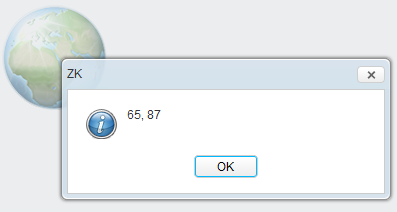
<imagemap src="/img/sun.jpg" onClick="alert(event.x + ", " +event.y)"/>
For example, if a user clicks 208 pixels over and 205 pixels down from the upper-left corner of the image displayed from the following statement, then the user gets the result as depicted below.
Supported Events
| Name | Event Type | Description |
|---|---|---|
onClick |
MouseEvent | Sent when the imagemap is clicked; carries the x and y pixel coordinates relative to the image’s upper-left corner. Inherited from Image. |
Supported Molds
Available molds of a component are defined in lang.xml embedded in zul.jar.
default
The standard mold. Renders the imagemap using a <span> wrapping an <img> and a <map> element.
<imagemap src="/img/sample.jpg" mold="default"/>
alphafix
A legacy mold originally introduced to work around the PNG alpha-transparency rendering bug in Internet Explorer 6. In current browsers this mold is functionally identical to default; use default for new projects.
<imagemap src="/img/sample.png" mold="alphafix"/>
Supported Children
* Area