Doublespinner
- Demonstration: Spinner
- Java API: org.zkoss.zul.Doublespinner
- JavaScript API: zul.inp.Doublespinner
Employment/Purpose
An edit box for holding a constrained double.
Common Use Cases
- Numeric input with bounds: Use
doublespinnerwhen you need users to enter a floating-point number and want to enforce a minimum/maximum range via theconstraintattribute (e.g.min 0.0 max 100.0). - Controlled increments: When a value must increase or decrease in a fixed step (e.g.
0.1,0.5, or2.5), set thestepattribute so the spinner buttons move the value by that exact amount. - Embedded numeric editors: Hide the spin buttons (
buttonVisible="false") when the spinner is used inside a compact form or table cell where only keyboard input is expected, while still enforcing the numeric type and constraint.
Example
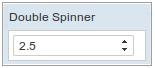
<doublespinner step="0.5" />
In-place Editing
Fixed Width
<doublespinner width="100px" inplace="true" value="30" />
Dynamic Width
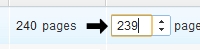
Because inplace editing function in ZK is pure client side action, so we can use client api to modify the width (server side do not need to know)
<zk xmlns:c="client">
  <doublespinner inplace="true" value="240" width="30px" c:onFocus='this.setWidth("60px")' c:onBlur='this.setWidth("30px")' />
</zk>
Properties
ButtonVisible
Default Value: true
Controls whether the up/down spin buttons to the right of the input field are rendered. Set to false to hide the buttons and allow only direct keyboard input; the numeric type and any constraint are still enforced.
<doublespinner buttonVisible="false" value="3.14"/>
Step
Default Value: 1.0
Sets the amount added to or subtracted from the current value each time the
user clicks an up or down spin button (or presses the arrow keys). The value is
a double; the setter stores it as-is and performs no range validation.
<doublespinner step="0.5" value="3.14"/>
Constraint
You could specify what value to accept for input controls by use of the
constraintproperty. It could be a combination of no empty and the
minimum and maximum to doublespinner.
To specify two or more constraints, use comma to separate them as follows.
<doublespinner step="0.5" constraint="no empty,min -2.5 max 6.5"/>
If you prefer to display different message to the default one, you can append the error message to the constraint with a colon.
<doublespinner step="0.5" constraint="no empty,min -2.5 max 6.5: between -2.5 to 6.5"/>
Notes:
- The error message, if specified, must be the last element and start with colon.
- To support multiple languages, you could use the 「l」 function as depicted in the Internationalization chapter.
<doublespinner step="0.5" constraint="no empty,min -2.5 max 6.5: ${c:l('err.msg.doublespinner')}"/>
Value
Default Value: null
The current value of the spinner as a Double. The value may be null unless a no empty constraint is set. To bind an initial value from a ViewModel or <zscript>, use EL:
<zscript>
    Double initialValue = 3.14;
</zscript>
<doublespinner value="${initialValue}"/>
For simple literal values, the attribute form is sufficient:
<doublespinner value="2.5"/>
Supported Events
- Inherited Supported Events: NumberInputElement
Supported Molds
Available molds of a component are defined in lang.xml embedded in zul.jar.
| Name | Snapshot |
|---|---|
| default |  |
| rounded |  |
Supported Children
*None
Inherited Functions
Please refer to NumberInputElement for inherited functions.