GoldenPanel
- Demonstration: GoldenPanel
- Java API: org.zkoss.zkmax.zul.GoldenPanel
- JavaScript API: zkmax.goldenlayout.GoldenPanel
since 8.6.0
Employment/Purpose
GoldenPanel is the only child type of GoldenLayout. It allows you to rearrange them by dragging the tab.
Common Use Cases
Handling Panel Close with Confirmation
By default, closing a GoldenPanel calls detach() automatically via the built-in onClose handler. Override this by listening to onClose to apply custom logic (such as showing a confirmation dialog) before detaching.
<goldenlayout vflex="1" hflex="1">
    <attribute name="areas">A B</attribute>
    <goldenpanel area="A" title="Confirmable Panel" onClose="self.detach()">
        <label value="Close me!"/>
    </goldenpanel>
    <goldenpanel area="B" title="Panel B">
        <label value="Content B"/>
    </goldenpanel>
</goldenlayout>
Preventing Accidental Close
Set closable="false" to hide the close button so users cannot close the panel from the UI (programmatic detach() is unaffected).
<goldenpanel area="A" title="Persistent Panel" closable="false">
    <label value="This panel cannot be closed by the user."/>
</goldenpanel>
Reacting to Area Rename After Drag-and-Drop
Listen to onAreaRename on the <goldenpanel> to synchronize your application state after a drag.
<goldenpanel area="A" title="Draggable Panel" onAreaRename="System.out.println('Area renamed')">
    <label value="Drag me."/>
</goldenpanel>
Example
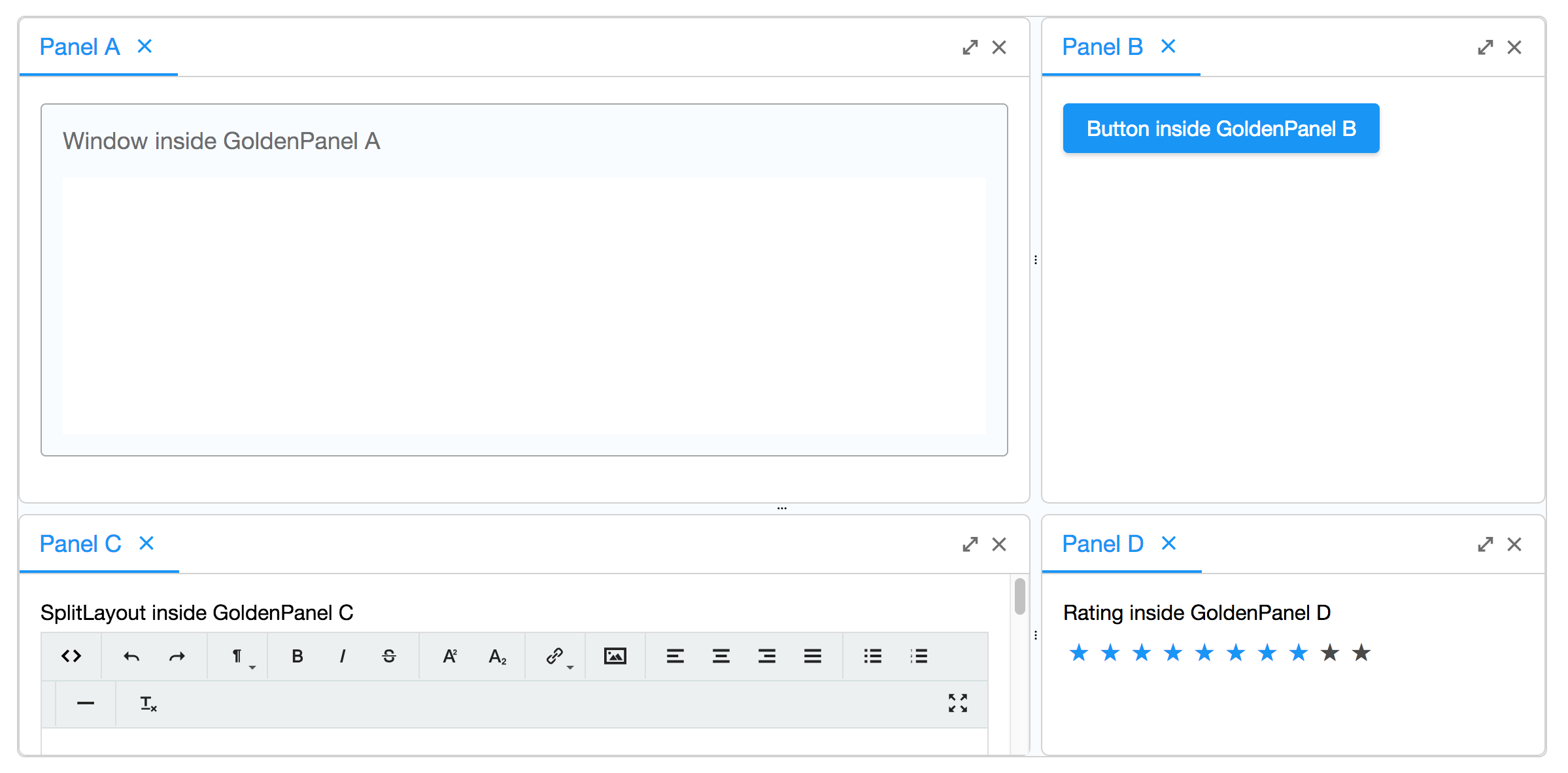
    <goldenlayout vflex="1" hflex="1">
        <attribute name="areas">
            A A B
            A A B
            C C D
        </attribute>
        <goldenpanel area="A" title="Panel A">
            <window vflex="1" title="Window inside GoldenPanel A" border="normal"/>
        </goldenpanel>
        <goldenpanel area="B" title="Panel B">
            <button label="Button inside GoldenPanel B"/>
        </goldenpanel>
        <goldenpanel area="C" title="Panel C">
            <vlayout>
                SplitLayout inside GoldenPanel C
                <splitlayout hflex="1" height="500px">
                    <tbeditor vflex="1"/>
                    <window border="normal" title="Window" vflex="1"/>
                </splitlayout>
            </vlayout>
        </goldenpanel>
        <goldenpanel area="D" title="Panel D">
            <vlayout>
                Rating inside GoldenPanel D
                <rating max="10" rating="8"/>
            </vlayout>
        </goldenpanel>
    </goldenlayout>
Properties
Area
The area attribute is a sugar for initializing the layout. GoldenPanels with the same area are stacked together in the added order and placed at the position of the area in the areas attribute of its parent GoldenLayout.
Title
The title attribute is the text on the tab of the GoldenPanel. If not specified, the tab renders with the default title Panel.
Closable
If false, the close button does not appear, preventing users from closing the panel via the UI. Programmatic detach() calls are unaffected.
Supported Events
| Name | Event Type | Description |
|---|---|---|
onActive |
org.zkoss.zk.ui.event.Event | Denotes user has activated this GoldenPanel. |
onPanelDrop |
org.zkoss.zk.ui.event.Event | Denotes user has dropped this GoldenPanel. |
onFlexSize |
org.zkoss.zk.ui.event.Event | Denotes user has resized this GoldenPanel. |
onClose |
org.zkoss.zk.ui.event.Event | Denotes user has closed this GoldenPanel. |
onMaximize |
org.zkoss.zk.ui.event.Event | Denotes user has maximized this GoldenPanel. |
onMinimize |
org.zkoss.zk.ui.event.Event | Denotes user has minimized this GoldenPanel. |
onAreaRename |
org.zkoss.zk.ui.event.Event | Denotes the area identifier of this GoldenPanel has been renamed on the client side, typically after the panel is repositioned by a drag-and-drop operation. The server-side area property is updated automatically. |
- Inherited Supported Events: XulElement
Supported Children
* All