Video
- Java API: org.zkoss.zhtml.Video
- JavaScript API: zkmax.med.Video
since 8.6.0
Employment/Purpose
A Video component plays video in the browser using the HTML5 <video> tag. You can specify the video source via the src property or dynamically generate it using the setContent method. The component supports a rich set of HTML5 attributes for customizing playback behavior, appearance, and media handling.
Common Use Cases
Autoplay muted video on mobile
Most browsers block autoplay with sound. The reliable approach is to combine autoplay="true", muted="true", and playsinline="true" so the video starts immediately on both desktop and iOS:
<video src="intro.mp4" autoplay="true" muted="true" playsinline="true" loop="true" />
Video with a poster and buffering hint
Show a thumbnail before playback and pre-load only metadata to reduce bandwidth:
<video src="clip.mp4" poster="/img/thumb.png" preload="metadata" controls="controls" />
Cross-origin video with subtitles
When loading a video from a CDN and pairing it with a <track> element for captions, set crossorigin so the browser can fetch the external VTT file:
<video src="https://cdn.example.com/clip.mp4" crossorigin="anonymous" controls="controls">
    <track kind="subtitles" src="captions_en.vtt" srclang="en" label="English" />
</video>
Example
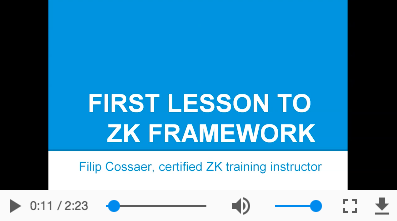
<video src="zk.mp4" controls="true" autoplay="true" loop="true" />
Properties
The following properties map directly to the corresponding HTML5 <video> attributes. Each attribute is rendered to the client-side DOM even if the browser does not support it.
Autoplay
Default Value: false
When true, the video begins playing as soon as enough media has been buffered. Setting autoplay alone does not always work because browsers enforce autoplay policies. Reliable autoplay requires combining this with muted="true" and playsinline="true". For details on browser autoplay policies, refer to:
since 8.5.1
<video src="clip.mp4" autoplay="true" muted="true" playsinline="true" />
Controls
Default Value: null (no controls rendered)
Shows the browser’s built-in playback controls (play/pause, volume, seek bar, full-screen). Pass any non-null string (conventionally "controls" or "true") to enable them; set to null or omit the attribute to hide controls and rely on custom UI instead.
since 8.5.1
<video src="clip.mp4" controls="controls" />
Crossorigin
Default Value: null (no CORS request)
Controls how the browser handles cross-origin requests for the video resource. This is required when the video source is on a different origin and you need to read pixel data (e.g., via a Canvas) or load external text tracks.
Accepted HTML5 values:
| Value | Meaning |
|---|---|
anonymous |
Sends a CORS request without credentials (cookies, certificates). |
use-credentials |
Sends a CORS request including credentials. |
The setter passes the value through to the DOM without server-side validation.
since 8.5.1
<video src="https://cdn.example.com/clip.mp4" crossorigin="anonymous" />
Loop
Default Value: false
When true, the video restarts automatically once it reaches the end.
since 8.5.1
<video src="clip.mp4" loop="true" controls="controls" />
Muted
Default Value: false
When true, the audio track is silenced. This is often paired with autoplay="true" to enable autoplay on browsers that only allow autoplay if the media is muted.
since 8.5.1
<video src="clip.mp4" muted="true" />
Playsinline
Default Value: false
When true, the video plays inline within the element on iOS Safari instead of entering full-screen mode automatically. This attribute is required for autoplay to work on mobile iOS devices.
since 8.5.1
<video src="clip.mp4" playsinline="true" autoplay="true" muted="true" />
Poster
Default Value: null
URL of an image to display as a placeholder before the video begins playing (or while it is downloading). If omitted, the browser shows the first frame of the video once it is available.
since 8.5.1
<video src="clip.mp4" poster="/img/preview.png" controls="controls" />
Preload
Default Value: browser-dependent (usually "metadata")
Provides a hint to the browser about how much of the video to buffer before the user initiates playback. The setter passes the value through to the DOM without server-side validation.
Accepted HTML5 values:
| Value | Meaning |
|---|---|
none |
Do not buffer the video. |
metadata |
Buffer only metadata (duration, dimensions, first frame). |
auto |
Buffer the entire video if possible. |
since 8.5.1
<video src="clip.mp4" preload="metadata" controls="controls" />
Src
Default Value: null
URL of the video resource. You can specify a single format or multiple formats separated by commas for fallback support. Most browsers do not support all video formats, so listing multiple formats ensures compatibility across browsers:
<video src="clip.mp4, clip.webm, clip.ogg" controls="controls" />
Supported formats include mp4, WebM, and ogg. For details, see MDN: Supported media formats.
since 8.5.1
Supported Events
| Name | Event Type | Description |
|---|---|---|
onStateChange |
org.zkoss.zkmax.zul.event.StateChangeEvent | Notifies when invoking play(), stop(), or pause(). Video has four states: Video.PLAY, Video.STOP, Video.PAUSE, and Video.END (since ZK 9.6.0). |
- Inherited Supported Events: XulElement
Supported Children
* Track