ZK 11 Sneak Peek: Easier Date-Range Selection with Daterangebox
 Author: James Chu, Senior Engineer, Potix
Select, validate, and bind a complete period as one value instead of coordinating two separate date inputs.
One Component for a Complete Period
Many applications ask for a start and end date: a report period, hotel stay, campaign window, or maintenance interval. Two Datebox components can collect those values, but the application must keep them ordered, synchronize their constraints, and decide when the range is complete.
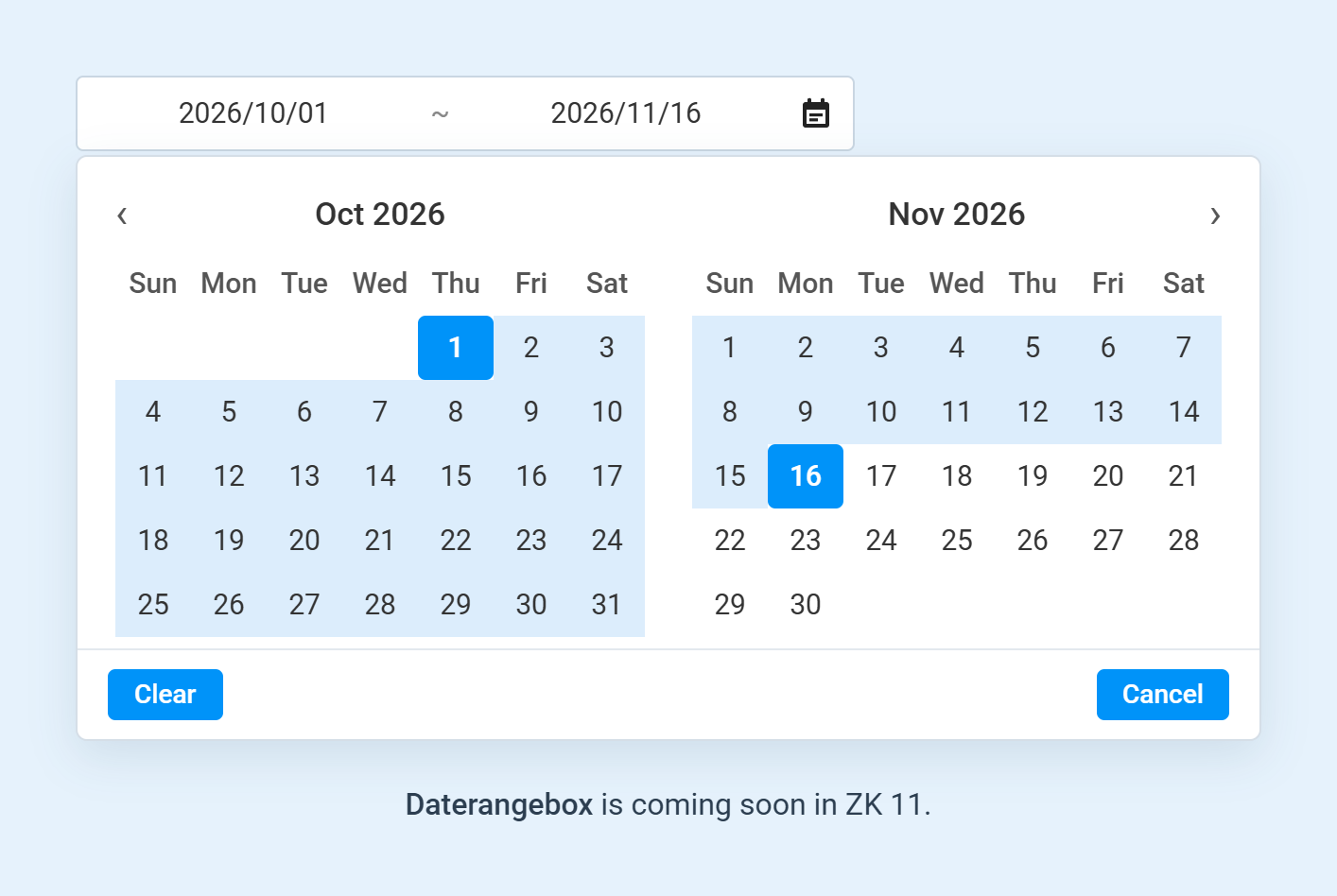
ZK 11 introduces Daterangebox for this case. It displays and edits both endpoints as one control and commits them as one DateRange value.
Create the Picker in One Tag
<daterangebox value="@bind(vm.stay)"
              numberOfMonths="2"
              minNights="1"
              maxNights="14"
              allowEmpty="none"
              showTodayLink="true"
              beginPlaceholder="Check-in"
              endPlaceholder="Check-out"/>
numberOfMonths controls how many consecutive months appear in the popup, making it easier to select a range that spans multiple months. minNights and maxNights restrict the duration. allowEmpty controls whether the beginning, end, both, or neither endpoint may be empty.
Express Business Rules in the View
Range rules can be declared together instead of split between two input controls. The following report filter rejects past dates, requires both endpoints, and limits the selected range to thirty days.
<daterangebox id="period"
              value="@bind(vm.period)"
              constraint="no past"
              minNights="0"
              maxNights="30"
              allowEmpty="none"/>
For an open-ended search, allowEmpty can permit only the beginning or only the end to be empty. showTime adds time selection when dates alone are not precise enough. Locale and time-zone settings control parsing and display in the same way as other ZK date inputs.
Bind One Range or Separate Endpoints
The value property lets you bind the entire date range to one ViewModel property, as shown below. If your ViewModel stores the start and end dates separately, bind them using beginValue and endValue instead.
private DateRange period;

public DateRange getPeriod() {
    return period;
}

public void setPeriod(DateRange period) {
    this.period = period;
}
ZK also supports ranges using LocalDate, LocalDateTime, and ZonedDateTime. Choose LocalDate when you only need dates, such as a report’s date range; LocalDateTime when you need dates and times; or ZonedDateTime when you also need a time zone.
Handle Range Events Directly
Daterangebox fires onChanging while the value is being edited and onChange when the range is committed. The listener receives Daterangebox.RangeChangeEvent, which exposes the complete range and each endpoint.
@Listen("onChange = #period")
public void updateQuote(Daterangebox.RangeChangeEvent event) {
    DateRange range = event.getRange();
    Date begin = event.getBegin();
    Date end = event.getEnd();
    // Recalculate using the committed range.
}
This is a range-specific event rather than a normal InputEvent. In an MVVM screen, binding value and running a command is usually enough; the listener form is useful when a controller needs the endpoints immediately.
Summary
This ZK 11 feature provides:
-
One field and one value for a complete date range
-
Built-in duration and empty-endpoint rules
-
Multiple calendar panels and optional time selection
-
Whole-range, endpoint, and Java Time binding options
-
Range-specific onChanging and onChange events
Try It in ZK 11 EE-Eval Freshly
ZK 11 is coming soon, and you can preview Daterangebox in the latest ZK 11 EE-Eval Freshly build (11.0.0.FL.20261021-Eval).
To try it in your existing ZK application, update your Maven pom.xml with the following configuration:
1. Add the ZK Evaluation Maven Repository
<repositories>
    <repository>
        <id>ZK Evaluation</id>
        <url>https://mavensync.zkoss.org/eval/</url>
    </repository>
</repositories>
2. Update your ZK version and EE dependency
<properties>
    <zk.version>11.0.0.FL.20261021-Eval</zk.version>
</properties>

<dependencies>
    <dependency>
        <groupId>org.zkoss.zk</groupId>
        <artifactId>zkmax</artifactId>
        <version>${zk.version}</version>
    </dependency>
</dependencies>
Make sure all ZK dependencies use the same evaluation version to avoid version conflicts.
Once configured, replace a pair of Datebox components in a report filter or reservation form with Daterangebox. Compare both the user interaction and the synchronization code required in the ViewModel or controller.
For more details, see the ZK Maven Setup Guide.