In ZK 8, we provided MVVM shadow elements, client-side command binding,
and data-handler to allow developers combining the simplicity and
security of the server-centric architecture with the beauty and dynamics
of the evolving client-side technologies.
The new ZK 8.5 takes the best of ZK 8 and continues to push the
innovation envelope. A major improvement on MVVM data binding at the
client side enlivened pure HTML content with minimal effort. The new
built-in websocket support allows you to handle real-time data in a more
efficient way, while the Fragment component made it easy to develop a
PWA with ZK.
WebSocket is a new
communication protocol standardized by the IETF as RFC 6455. It provides
a full-duplex communication channel over a single TCP connection. Once
the WebSocket connection has been established, all subsequent messages
are transmitted over the socket rather than new HTTP requests/responses.
Therefore, it can lower handshake overhead and reduce a lot of
HTTP requests when there are many small updates comparing to AJAX
server push. A server can actively send data to a client without a
client’s request. So it’s more trivial than Comet. ZK now supports not
only WebSocket-based update engine but also a WebSocket-based server
push.
To enable websockets in ZK 8.5 all you need is to add the following
to your zk.xml:
```xml
org.zkoss.zkmax.au.websocket.WebSocketWebAppInit
```
[More details](http://blog.zkoss.org/2017/07/27/zk-8-5-preview-build-in-websocket-communication-is-now-provided/)
## Supported Servers
According to the [Oracle article](http://www.oracle.com/technetwork/articles/java/jsr356-1937161.html), WebSocket API (JSR 356) is a part of Java EE 7 standard. So all Java EE 7-compliant servers support the API. You can check [a list of compatible servers](http://www.oracle.com/technetwork/java/javaee/overview/compatibility-jsp-136984.html) and [Tomcat](http://tomcat.apache.org/whichversion.html).
# New Default Theme - Iceblue
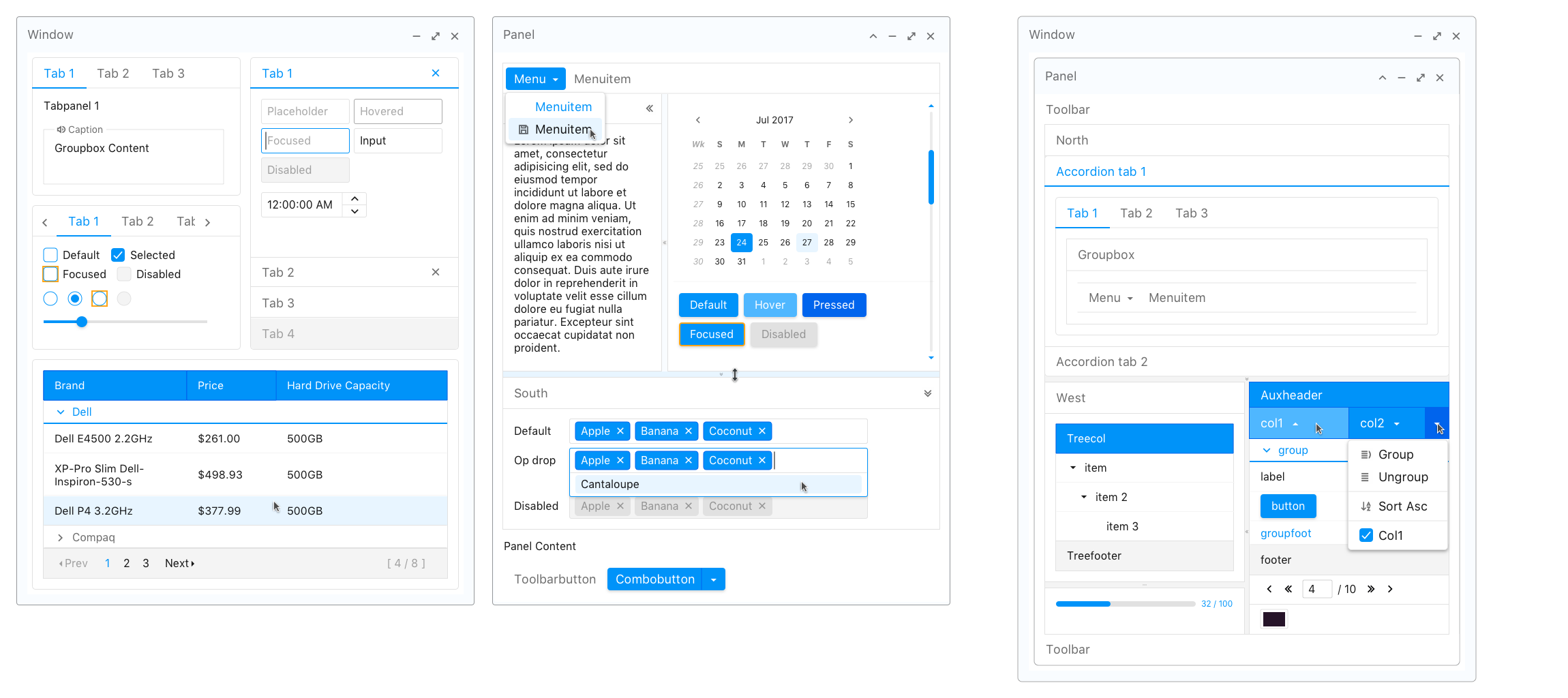
A good, elegant-designed web user interface
convinces users that your application is well-built and presents a
professional impression. Therefore, in order to keep up with modern web
design, we crafted a new flat design theme as ZK 8.5's default theme -
Iceblue. With Iceblue your web application will immediately have a
modern and refreshing look.
## [Theme Demo](https://www.zkoss.org/zk85themedemo/)
## Tips for Migrating to Iceblue Theme
To start a new project with Iceblue Theme there is nothing to configure.
However, if you already have an existing ZK application based on the
breeze theme, and you wish to migrate to the new Iceblue theme then you
may need to tweak it accordingly. Since Iceblue has **a larger font
size, padding, and margin**, anything specified with a fixed size might
break the layout after migration. Please check the followings and adjust
as needed:
- Components have fixed width and height specified
- Components arranged horizontally might produce a new line.
- Custom CSS related to size
- Custom JavaScript code that is related to size
## Keep Using The Previous Default Theme - Breeze
For existing ZK-based systems, you can still keep using the previous
default theme, Breeze, if you are not ready to migrate to Iceblue. You
can easily switch back to Breeze theme. Just get the breeze theme jar via Maven (or [download breeze-8.5.0.zip](https://github.com/zkoss/zkthemes/releases)) and change the preferred theme name to "breeze" in zk.xml. Please refer to [Switching Themes](/zk_dev_ref/theming_and_styling/switching_themes).
Set the preferred theme to breeze in **zk.xml**:
```xml
org.zkoss.theme.preferredbreeze
```
maven users have to add a new dependency to **pom.xml** (using the same
version as the zk dependencies)
```xml
org.zkoss.themebreeze${zk.version}
```
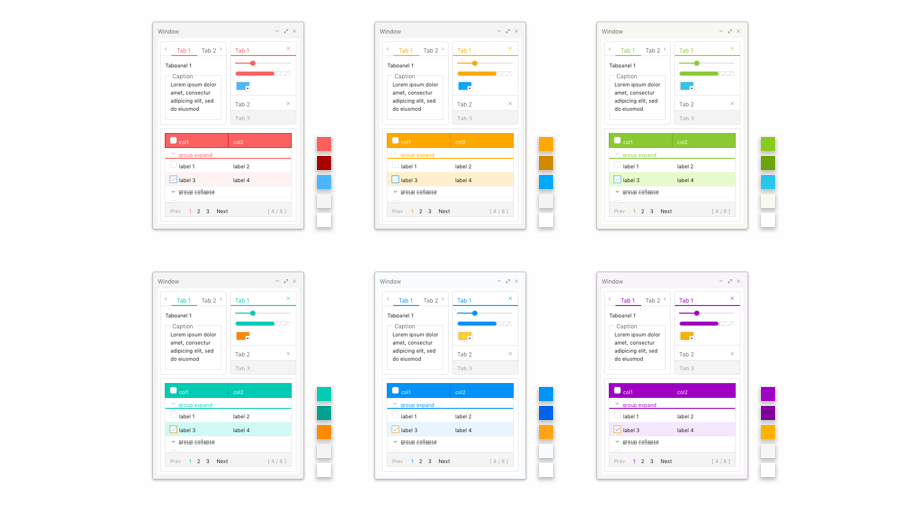
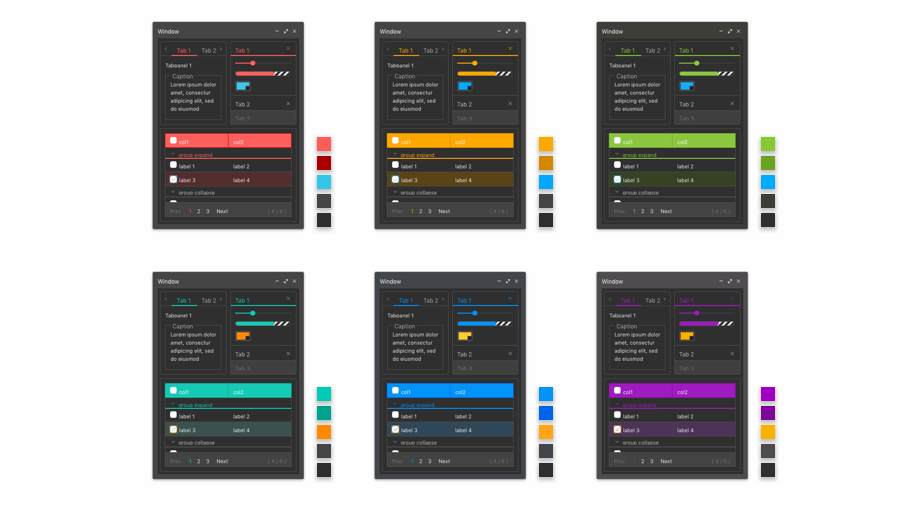
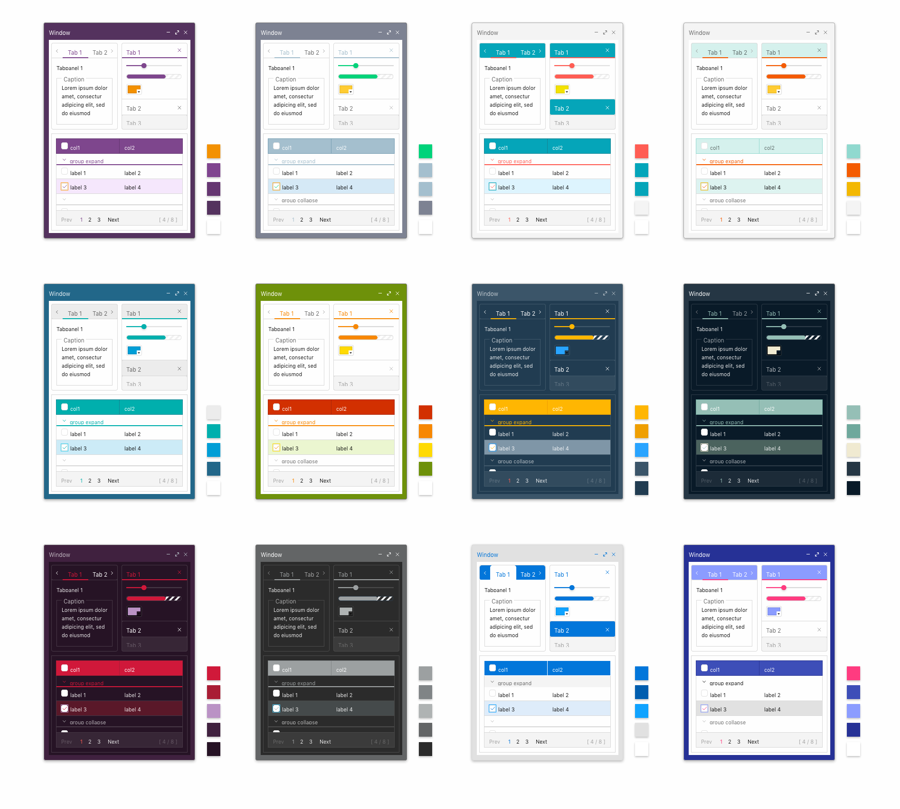
## Lite, Dark, and Mix-matched Modern Themes
In addition to Iceblue, there are 23 more freshly
baked, colorful modern themes for you to choose from. [Theme
Demo](https://www.zkoss.org/zk85themedemo).
**Lite**
**Dark**
**Mix-matched**
You can even allow each end user set his or her preferred theme in your
application with cookies like:
```java
Themes.setTheme(Executions.getCurrent(), "custom");
Executions.sendRedirect("");
```
please refer to [Switching Themes](/zk_dev_ref/theming_and_styling/switching_themes) for
more details.
# New Component with Client Data Binding - Fragment
Fragment is a special component that **turns a
static HTML page into dynamic**. It can bind an HTML snippet with data
from a ViewModel with ZK data binding syntax. With this powerful
component, you can **create a custom HTML widget** that's not part of
standard ZK components, e.g. custom layouts or custom components, and it
binds the data from a ViewModel.
For example, you can build a lightweight grid layout:
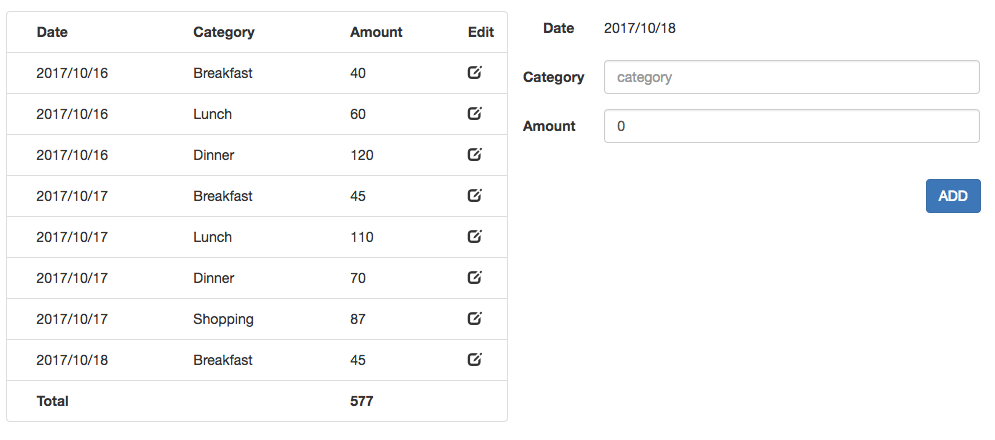
Please refer to [this blog
article](http://blog.zkoss.org/2016/11/15/client-binding-with-zk-mvvm-for-your-eyes-only/)
for details.
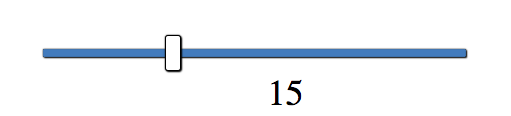
Or, build a custom slider:
## How it Works
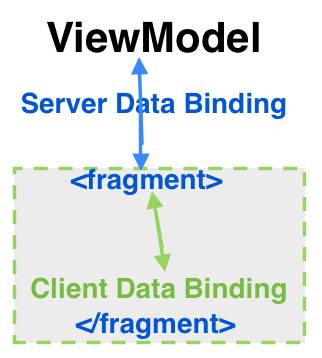
Fragment is a data container and renderer. It synchronizes data between
itself and a server according to data binding syntax, and it stores the
data from server as JSON objects at the client-side. Inside a Fragment,
the specified data binding syntax actually binds the JSON objects, and
it renders HTML elements based on the JSON objects. This also reduces
the server's tracking nodes for data binding since data is tracked at
the client-side.
# New Layout - Splitlayout
Splitlayout is a flexible and lightweight layout
container, which can split its children into 2 divisions with a
draggable splitter. The two child components inside Splitlayout are
placed either horizontally or vertically according to **orientation**
attribute, and users can easily resize these two viewports by dragging
the splitter bar. You can split an area into three or more divisions by
putting a Splitlayout into an outer Splitlayout. In addition, you can
even close and open a division by clicking the splitter's caret icon.
[ZK Demo -
Splitlayout](https://www.zkoss.org/zkdemo/layout/split_layout)
# Manipulating Browser History (HTML5)
If your users need to **bookmark or navigate to a
certain state for a zul**, you definitely need this feature. This
feature allows you to manipulate browser history in Java. You can push
and replace history entries and receive an event when users move forward
or back in a history.
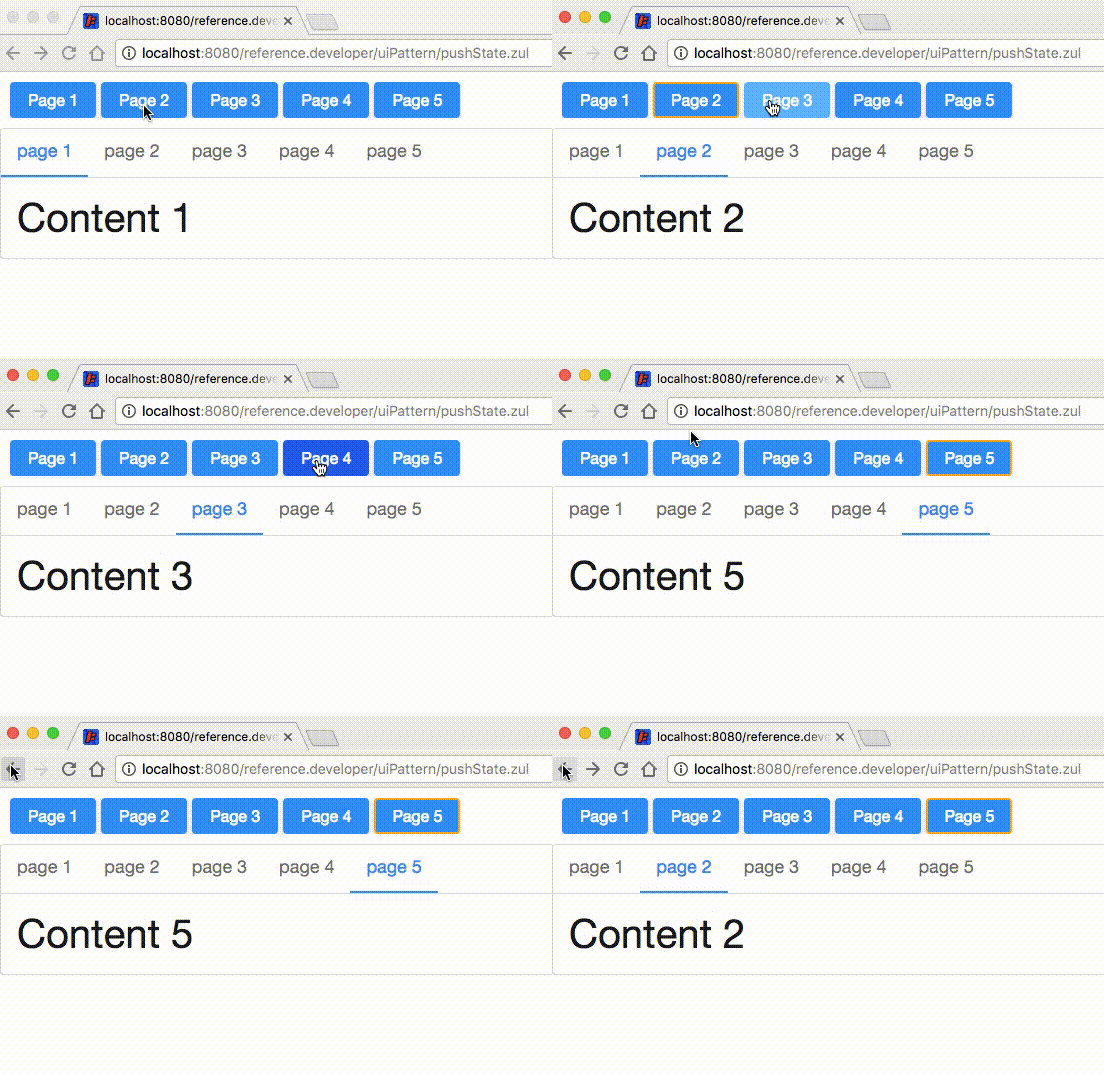
In the application above, when I click buttons or select a tab, it will
push a state to browser history and change the anchor in the URL. And
when I press "back" or "forward" button in the browser, it will switch
to the previous tab I selected instead of loading the previous page
again.
This feature's underlying implementation relies on [browser history
object's
API](https://developer.mozilla.org/en-US/docs/Web/API/History_API), e.g.
`history.pushState()`. For details, please refer to [Browser History
Management](/zk_dev_ref/ui_patterns/browser_history_management).
# Provide Source Maps for WPD Files
From now on, **it's easy to check widgets' javascript source in a
browser with a developer tool**. In previous versions, ZK
merges/compresses javascript code into WPD files, but now you can see
separate javascript files for each widget with comments like:
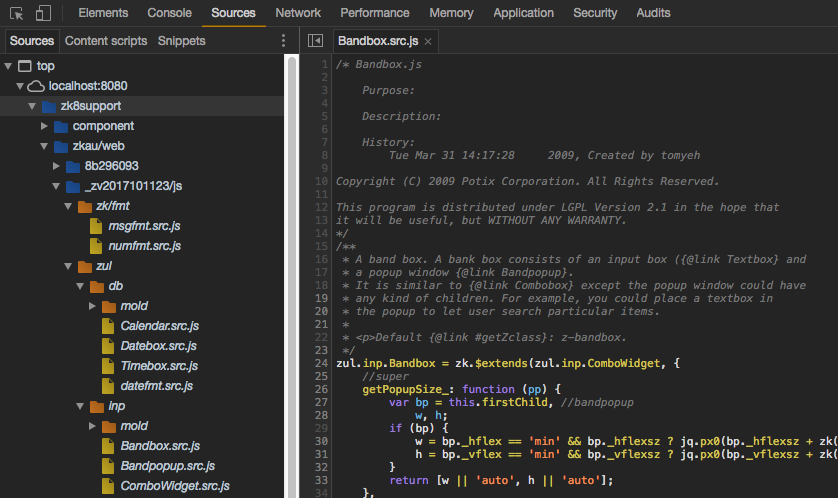
After you enable JavaScript in zk.xml with the property below:
```xml
truetrue
```
if your browser supports source map, you can also see separate js files
for every ZK widgets, not just WPD files (compressed files). It's very
useful when you wish to debug javascript code or customize widgets. You
can still debug with uncompressed WPD even a browser doesn't support
this.
## Notice: This Feature Includes a Big JAR File
In order to generate source map, ZK includes **closure-compiler** as a
dependency. If you package it and its dependencies, it increases about
10MB for a WAR. It's usually unnecessary for your production server, you
can exclude it in a pom.xml like:
```xml
org.zkoss.zkzk${zk.version}com.google.javascriptclosure-compiler
```
- Line 2: For PE users, you exclude it under **zkex**. For EE users, you exclude it under **zkmax**.
# Other Enhancements
## Grid Supports Display by Rows
Now you have the flexibility to limit the visible
rows of Grid/Tree like Listbox:
**Notice** that the attribute name is **`visibleRows`** for Grid.
```xml
```
```xml
```
## Enhanced Scrolling with Frozen Grid
We improved the column scrolling of a Frozen Grid.
In the previous version, you can only scroll unfrozen columns one by
one. Now you can scroll them smoothly.
[More details](http://blog.zkoss.org/2017/06/20/zk-8-5-preview-smooth-scrolling-in-zk-frozen/)
## Stacked Font Awesome Icons
We upgraded the component's bundled
[trumbowyg](http://alex-d.github.io/Trumbowyg/) to 2.3.0 in order to
benefit from [more plugins and bug
fixes](https://github.com/Alex-D/Trumbowyg/releases).
## CKEditor Upgrade
The major change is we upgraded the bundled
[CKEditor](https://ckeditor.com/) to **4.7.0** to get [more features and
bug fixes](https://cksource.com/blog/CKEditor-4.7-released).
[Features](http://tracker.zkoss.org/browse/ZKCK-39?jql=project%20%3D%20ZKCK%20AND%20issuetype%20%3D%20%22New%20Feature%22%20AND%20fixVersion%20%3D%204.7.0.0):
- ZKCK-33: Update ckez source to current version
- ZKCK-39: Editor upgrade to current latest release CKEditor 4.7.0
[Bugs:](http://tracker.zkoss.org/browse/ZKCK-40?jql=project%20%3D%20ZKCK%20AND%20issuetype%20%3D%20Bug%20AND%20fixVersion%20%3D%204.7.0.0)
- ZKCK-34: Zkoss CKEditor vulnerable to file browsing
- ZKCK-40: Memory leak in CKEditor
- ZKCK-28: quick successive bindings cause exception
- ZKCK-30: CKeditor prevent some events, causes popups to not close.
- ZKCK-37: CKEditor maxized content disappear with vflex 1
## New Tooltip API
This new API gives you more flexibility to add a
tooltip or a popup on a component under MVC approach.
```java
public void setTooltipAttributes(Popup popup, String position, String x, String y, Integer delay)
public void setPopupAttributes(Popup popup, String position, String x, String y, String type)
```
reference:
- [XulElement
Javadoc](https://www.zkoss.org/javadoc/latest/zk/org/zkoss/zul/impl/XulElement.html)
- <http://tracker.zkoss.org/browse/ZK-3520>
## New Key Support
### [Shift + up key can deselect listitems](http://tracker.zkoss.org/browse/ZK-3507)
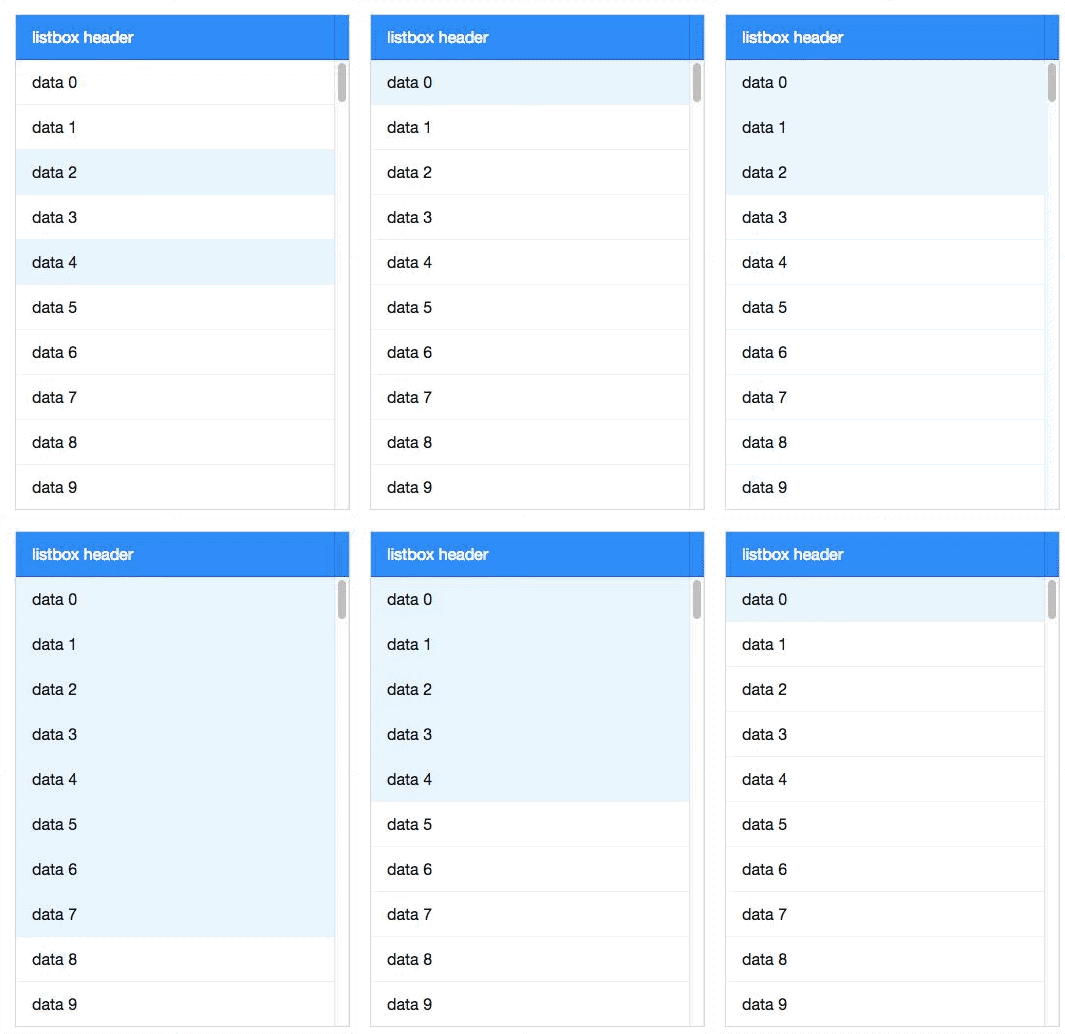
If you select multiple items with shift + down, now you can deselect
them with shift + up.
### [KeyEvent supports to detect the command key pressed](http://tracker.zkoss.org/browse/ZK-3506)
ZK now can detect **Mac command** key pressed. Please refer to [Allowed Control Keys](/zk_dev_ref/ui_patterns/keystroke_handling#allowed-control-keys)
for more details.
# Summary
ZK is made by Java developers for Java developers; continue bringing
technology innovations to enterprise Java web development has always
been our top priority. ZK 8.5 provides a great balance between the
required server-side simplicity, security, and integrity and the
client-side usability, look, and feel.
Join us this fall and harvest Javascript from Java roots!
ZK grows with you. Feel free to [share with us](https://www.zkoss.org/support/about/contact) your feedback or suggestion.
Twitter Facebook LinkedIn
 Author: Hawk Chen, Manager, Potix