Testing ZK Applications with QF-Test in 2026
 Author: Max Melzer, Quality First Software
The great thing about ZK has always been that you can build a web application without having to deal with the hassle of writing and maintaining HTML and JavaScript code. You define your application UI in concise ZUML markup and little richlets written in Java, you can write unit tests for your business logic and even use ZATS to test your UI.
However, you still want to make sure that your applications actually work for your users. In other words, you want to do end-to-end testing, including interactions of the user with the browser and the browser with the application. This is vital to ensure that the actual users of your application will have the intended experience.
This kind of browser testing has a reputation for being cumbersome, slow and fragile. With typical browser automation tools, you need to address your components in a deeply nested mess of <div> and <span> elements using long and complex XPath or CSS queries. A far cry from the clean and simple XML markup you can use to define your interface in ZK. The whole reason you chose ZK was probably because you didn’t want to deal with loads and loads of HTML code.
Reduce complexity of end-to-end web tests with QF-Test
This is where QF-Test comes in: QF-Test is a tried and tested UI test automation software that has been offering first-class support for testing Web applications built with ZK since 2013.
With QF-Test, you don’t have to deal with all these complexities. QF-Test uses a technology we call the CustomWebResolver (CWR) to internally translate the HTML of your web application into a semantic component tree. Usually, you need to “teach” the structure of your particular web application to the CWR, but in the case of ZK, we already did the work and include a fully preconfigured CWR with every copy of QF-Test.
Thanks to the CustomWebResolver, what QF-Test sees of your application is much closer to the ZUML markup you probably wrote to build your application UI than the actual HTML that ZK is rendering.
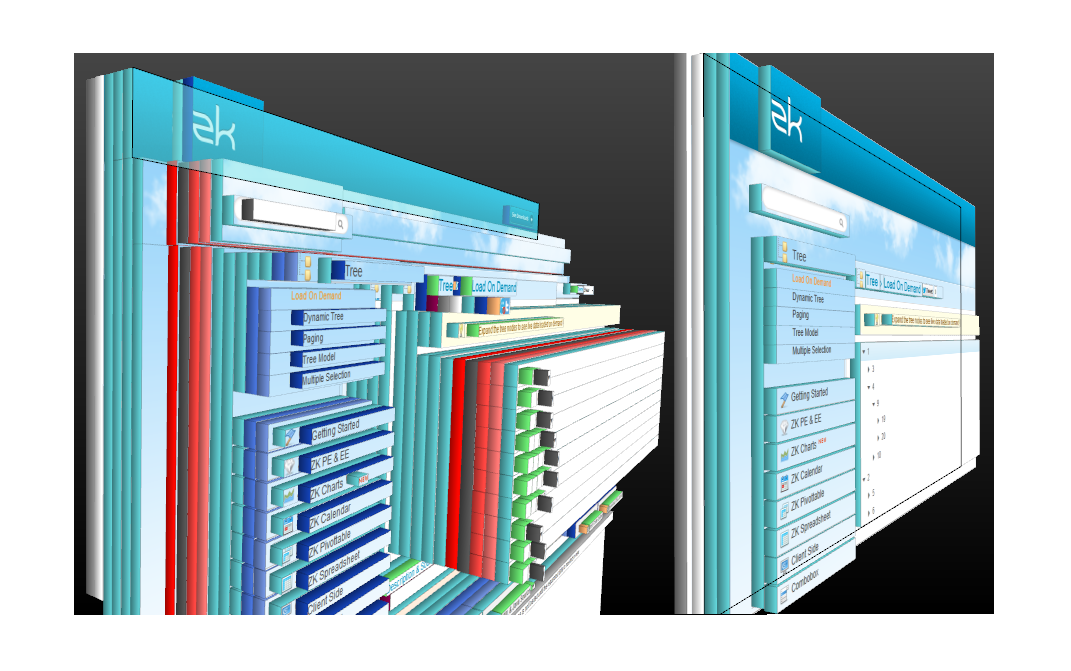
This screenshot is now over 10 years old, but it is still excellent at illustrating the reduction of complexity the QF-Test CustomWebResolver achieves in typical web applications. On the left, you see all the layers of hierarchy in the raw HTML. This is what you would have to navigate in other browser testing tools. On the right, you see the simple and flat component tree that is available in QF-Test, because the QF-Test CWR reduces the HTML down to the underlying semantic components.
Get started with QF-Test in 7 simple steps
But is it not difficult to get browser automation up and running? Not with QF-Test! It takes literally just 7 steps to go from nothing to a first QF-Test test case of your application:
- Download, install and launch QF-Test (it works on Windows, macOS and Linux!)
- Open the Quickstart wizard using the magic wand button in the toolbar
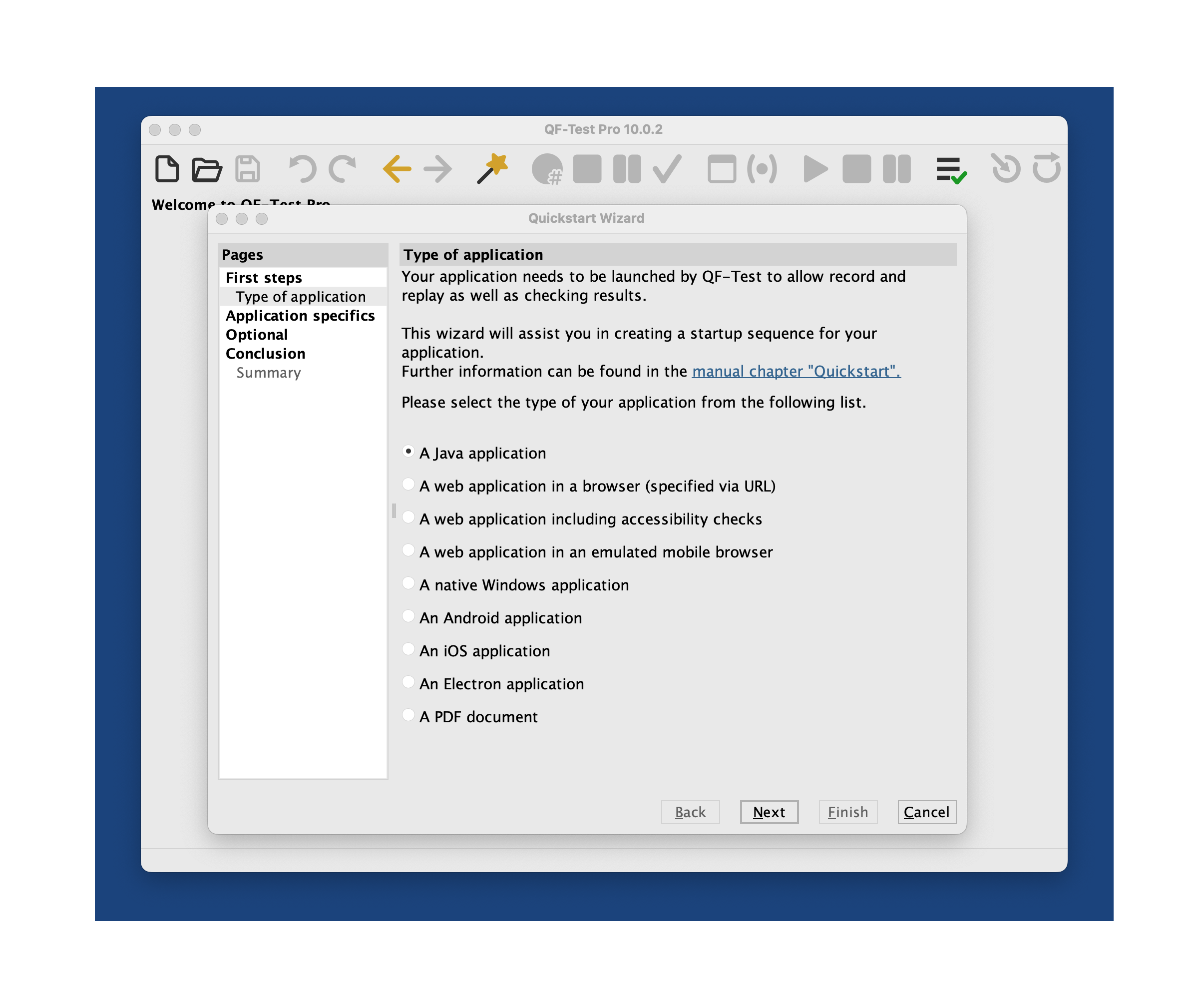
- Choose “A web application in a browser” and click “Next”.
- Enter the URL of your ZK-based web application and click “Finish”.
- Press the triangular green “Play” button in the QF-Test toolbar to launch your application in a browser controlled by QF-Test.
- Press the circular red “Start Recording” button to enter recording mode. You can now click around in your application; everything you do will be recorded by QF-Test.
- Press the square “Stop Recording” button to stop recording. Your recorded actions will appear in QF-Test, ready to be replayed.
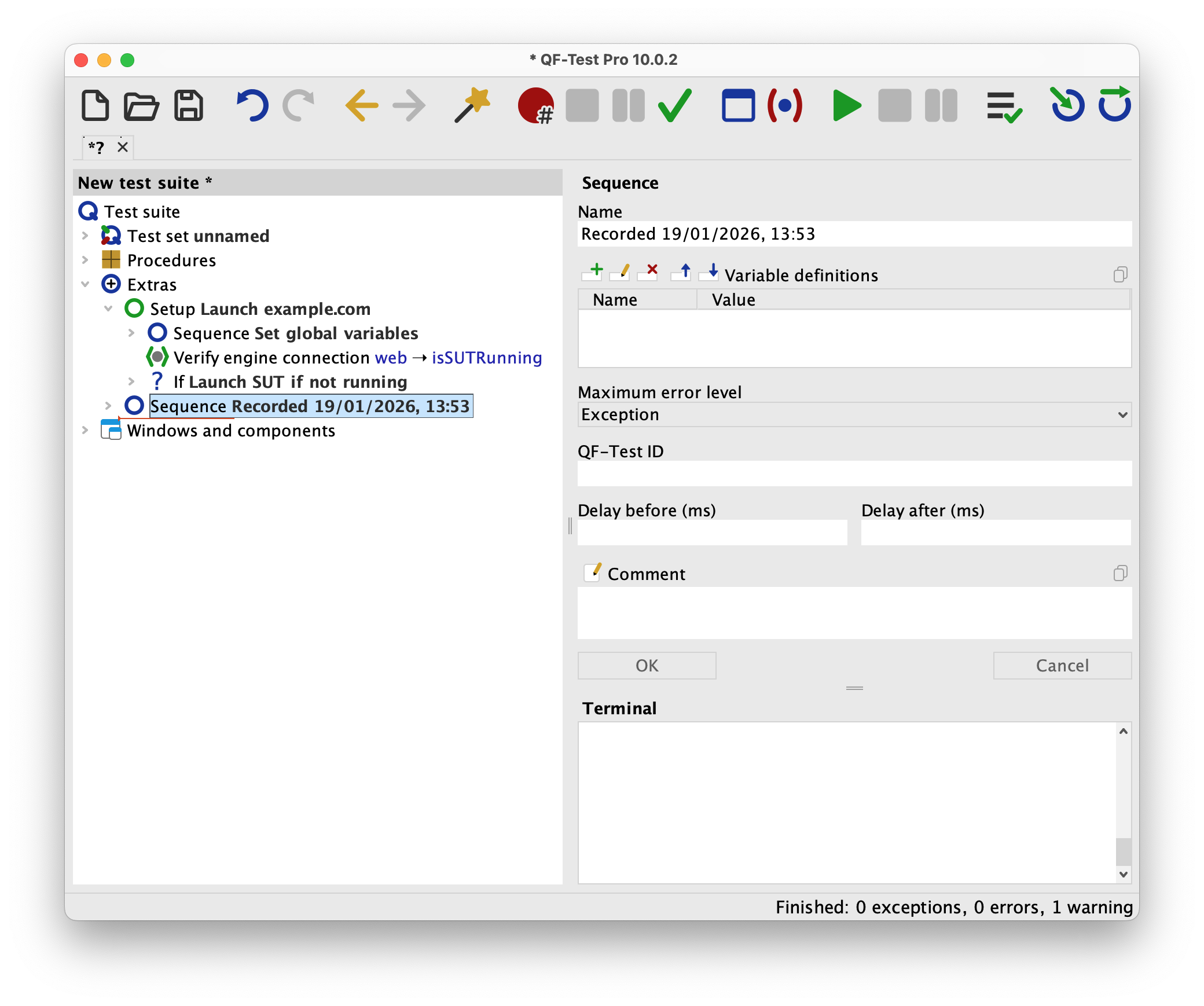
With QF-Test, you don’t have to write any XPath or CSS queries, and you don’t need to understand how ZK converts your application UI into HTML. You just interact with your application through the browser while recording in QF-Test, and QF-Test takes care of everything else.
You can also use the “Check recording” mode in QF-Test to interactively record checks for the expected text content or state of any UI components, which will also be represented as nodes in your test suite.
Build tests quickly using QF-Test SmartID
But you can also build tests through the QF-Test interface, without manually recording everything. QF-Test makes the widget IDs you assigned in your ZUML files or richlets available to use in your UI tests. That way, you can refer to the elements of your application UI the same way you would in ZK. In QF-Test, this is done using our simple but comprehensive SmartID syntax. Here are some examples:
#Panel:myPanel#@Button:label=Next: Select the button labeled “Next” in the Panel with the widget ID “myPanel”#Combobox:myComboboxWidget@Entry 1: “myComboboxWidget” is the widget ID of a dropdown, “Entry 1” refers to an item in the dropdown’s list.#Tree:myTree@Level 1/Level 2/Level 3: Select a nested tree item
You get the gist. You will probably agree that this is much simpler to read and write than long XPath queries through deeply nested HTML tags.
What else you can do with QF-Test
And these are just the features in QF-Test that offer unique advantages for ZK users. On top of that, QF-Test enables a broad range of UI-based testing types:
- You can run the same test suite cross-browser in Chrome, Edge, Firefox, Safari and even mobile browsers to make sure that your users have a great experience everywhere.
- You can integrate QF-Test with Robot Framework and do keyword-driven testing.
- Do data-driven testing by reading test data or instructions from a database, spreadsheet file, the file system and other sources.
- QF-Test offers a suite of accessibility tests to help you ensure WCAG compliance and other standards.
- QF-Test can run tests headless and in CI environments, as well as in parallel for load testing.
- In addition to testing web applications, you can use QF-Test to test native Windows, Android and iOS apps, as well as PDF documents and Java programs.
- QF-Test offers great test result reporting in various formats and detail levels, as well as an interactive HTML report.
Get started yourself
As you can see, QF-Test and ZK are a great match. You can try out QF-Test for yourself using the 7 simple steps described above. You can also get yourself a free 14-day trial license. This includes access to our helpful support team, who will gladly assist you in getting your first tests running with QF-Test.
This article is contributed by ZK’s partner, Quality First Software GmbH. If you have any questions or input, we welcome you to start a discussion on the ZK Forum. If you’d like to connect directly, feel free to reach out to QFS at service@qftest.com.